Publish instantly or schedule for later. Control who sees your work with subscriber-only posts and unlisted links.
You wrote something. Now it's time to share it. Subwave makes it easy to publish right away or line it up for exactly the right moment — and to control who gets to see it.
When your post is ready, tap the Publish button. That's it — your post goes live on your channel immediately and is visible to whoever you've set as your audience.
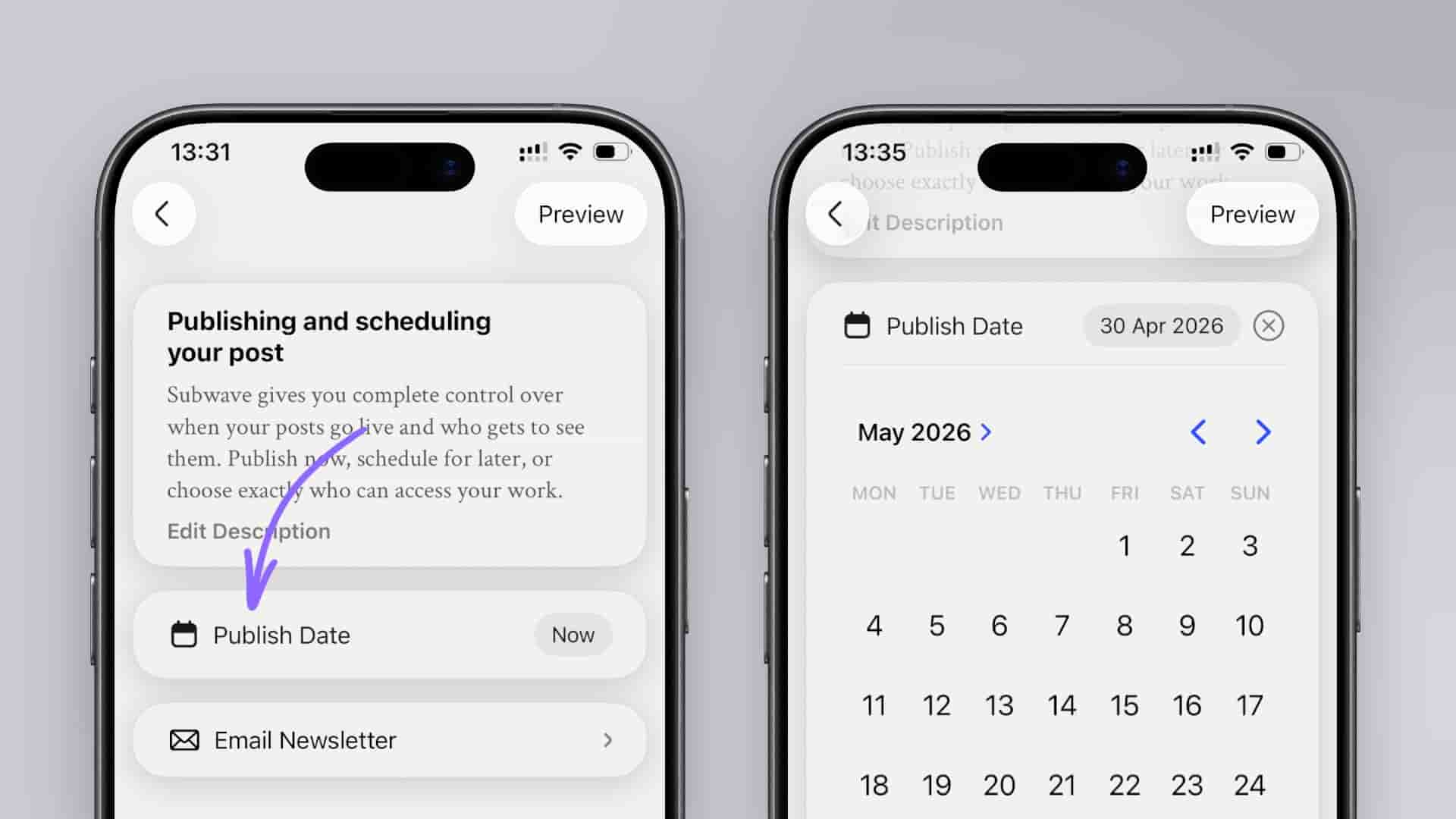
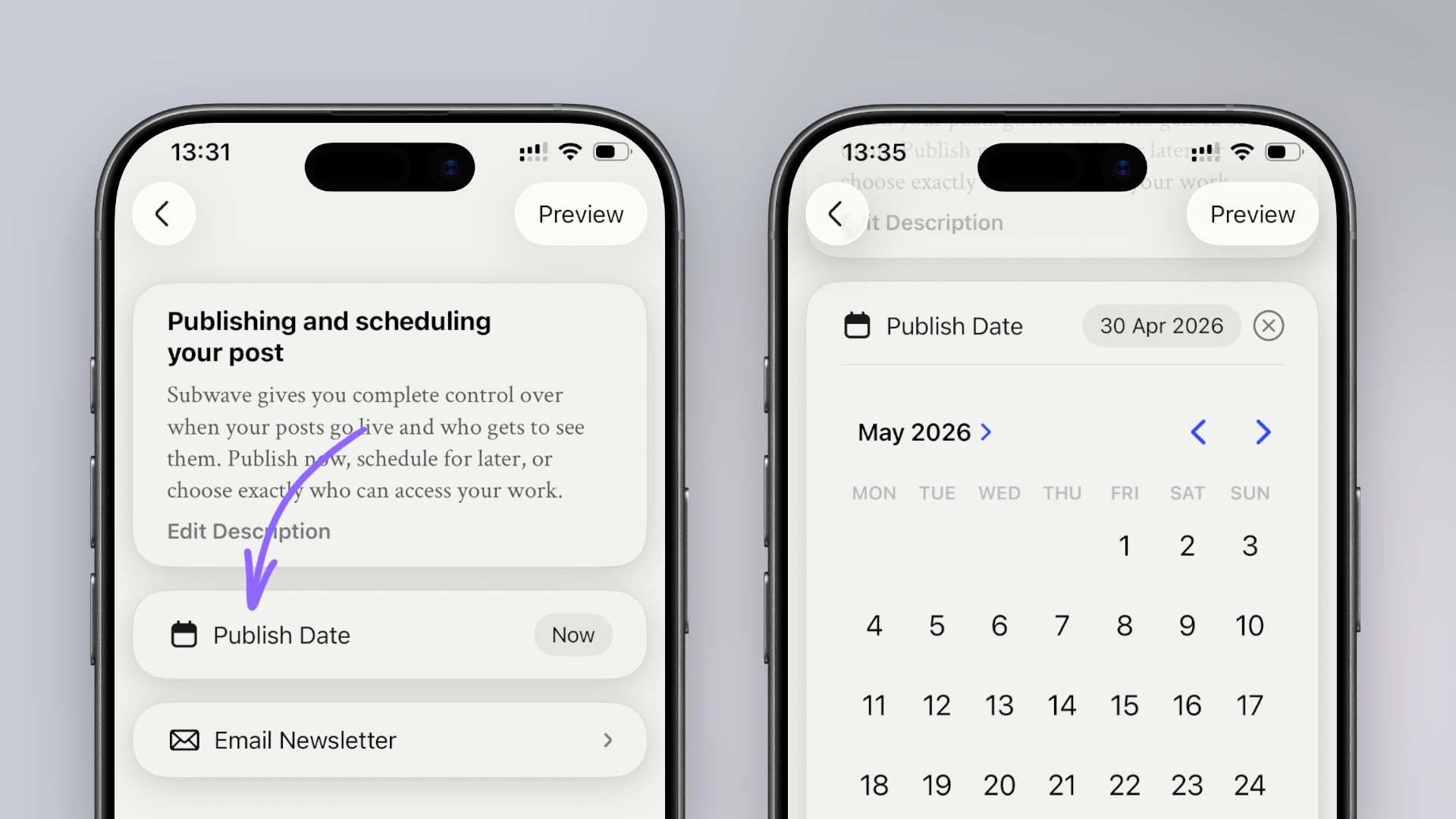
If you'd rather send it out at a specific time, tap Publish date and a date and time picker appears where you can choose exactly when your post should go live. Once confirmed, Subwave takes care of the rest — your post stays as a draft and publishes automatically at the time you set.
You can edit or cancel a scheduled post at any time before it goes live.
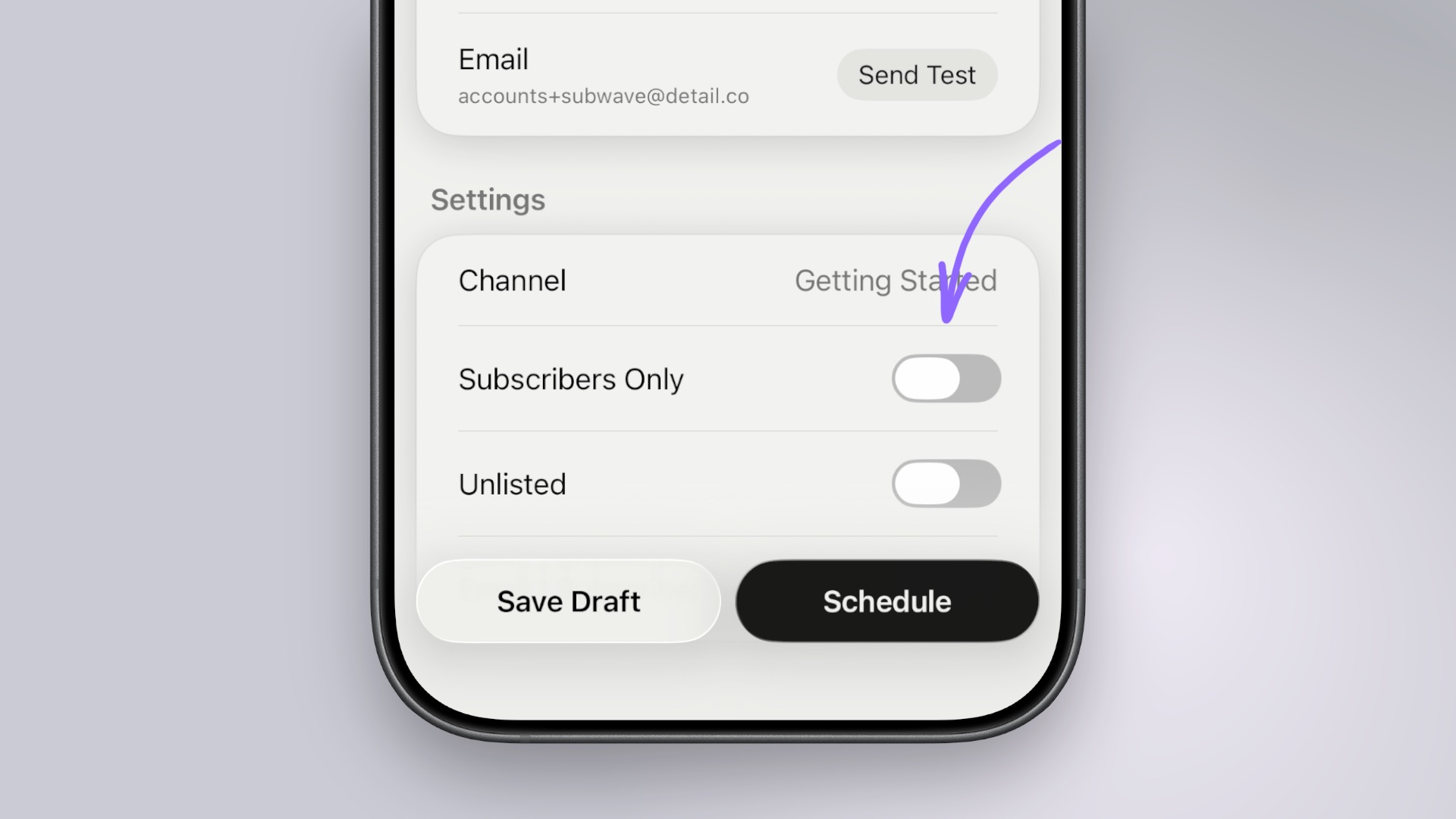
Before you publish or schedule, you can choose who can see your post. In Settings, you’ll see two visibility toggles:
You can turn these on or off to get the combination you want, and you can change these settings after publishing by going into the post settings.