Transform a simple voice memo into articles, newsletters, social clips, and podcast feeds without writing or editing anything.
I've found the easiest way to create content, and it starts with something you already know how to do: talking. No writing, no editing, no complicated workflows. Just speak your thoughts into your phone, and watch as they turn into a full article, newsletter, social clips, and even a podcast feed ready for Apple Podcasts or YouTube.
Let me walk you through exactly how I do this using Subwave.
First, open Subwave on your phone or computer and head to your channel. You'll need to have a channel set up first, but once you do, just tap "new post" and you're ready to go.
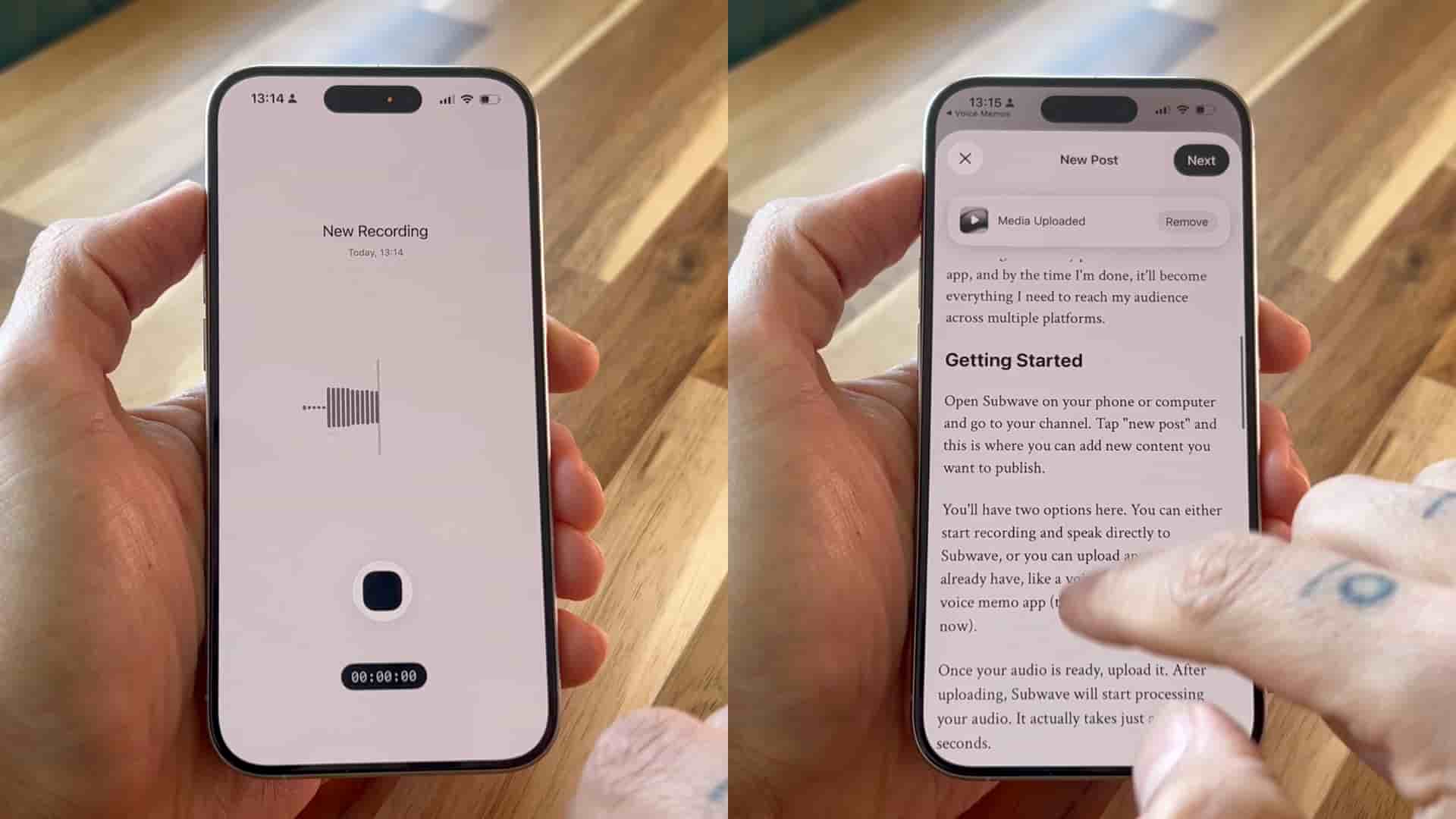
Now here's where it gets flexible. You have a few ways to add your audio. You can record directly inside Subwave and just start talking. Or if you already have something recorded, you can upload it. But my favorite method? If you're using an iPhone, just go to your voice memo app, select your recording, tap the share button, and choose Subwave. This sends your audio straight into the app and uploads it automatically, which is incredibly handy.
Once your audio is in, give it a few seconds to process. This is where everything happens.
From that one voice memo, Subwave is going to generate a full written article.
The article is clean, structured, and ready to be published. You can go in and edit it if you want, but you don't have to. That's the beauty of this system.
At the same time, that content is ready to be sent as a newsletter. Anyone subscribed to your channel in Subwave will receive it automatically. Every time you post, you're not just publishing, you're reaching your audience directly.
You'll also get short clips created from your audio, which you can use to share on social media and bring more people back to your content. These are perfect for Instagram, Twitter, LinkedIn, wherever your audience hangs out.
And on top of that, Subwave creates your RSS feed. This is what you use to submit your podcast to platforms like Apple Podcasts and YouTube. You only need to do that once. After that, every time you post something, it syncs automatically. Subwave is actually hosting every podcast episode you publish.
Once everything is ready and published, you can share your post using your channel's link. People can read it, listen to it, and subscribe so they get your next update as a newsletter.
Just speak and you're going to be publishing everywhere.
And that's it. From one voice memo, you create a full article, a newsletter, short clips, and a podcast ready feed, all in one place, without any extra work. No switching between tools, no copying and pasting, no manual formatting. Just speak your thoughts, and let the system handle the rest.