Learn how to shoot professional-looking unboxing videos using just two iPhones, a tripod setup, and smart camera angles.
I was all set to film an unboxing tutorial with my pro camera and iPad. Everything was ready to go, gear laid out perfectly. Then I realized I forgot to charge anything. Not a single battery was ready. But instead of postponing, I thought, why not just do it with two iPhones? And honestly, it turned out to be a great decision.
Before you start thinking this setup isn't economical, hear me out. I like gear, but I also like staying current with my iPhones. So I naturally have older models lying around. For this setup, I'm using an iPhone 16 Pro (not even the latest model) and an iPhone 14 with lightning connector. That old iPhone 14 that's just sitting in a drawer? Perfect for a top-down camera angle.
My audio setup is straightforward. I'm using a Holyland recorder connected to my iPhone 16 Pro via USB-C, paired with a Holyland mic. For mounting, I rely on Quadlock cases on both phones because they're incredibly sturdy, which is exactly what you need when you're positioning a phone overhead.
The tripod situation is important to get right. I'm using a Mount Frodo arm that can extend to the side for that top-down shot. Here's a critical tip: when you extend your tripod arm to the side, make sure the opposite leg is less extended to maintain balance. You really don't want your iPhone tipping over mid-recording. Always check your balance before you start filming.
For the main angle, I have my big tripod with the Quadlock mount (rock solid, not going anywhere), and for the additional angle, I'm using a smaller baby tripod. The basic front-facing angle already looks pretty nice, but adding that top-down shot really elevates the production value.
The connection process is simple. I press the connect button on one phone, which puts it in search mode. Then I do the same on my iPhone 16, hitting connect. Once both phones are linked, you're ready to set up your shots.
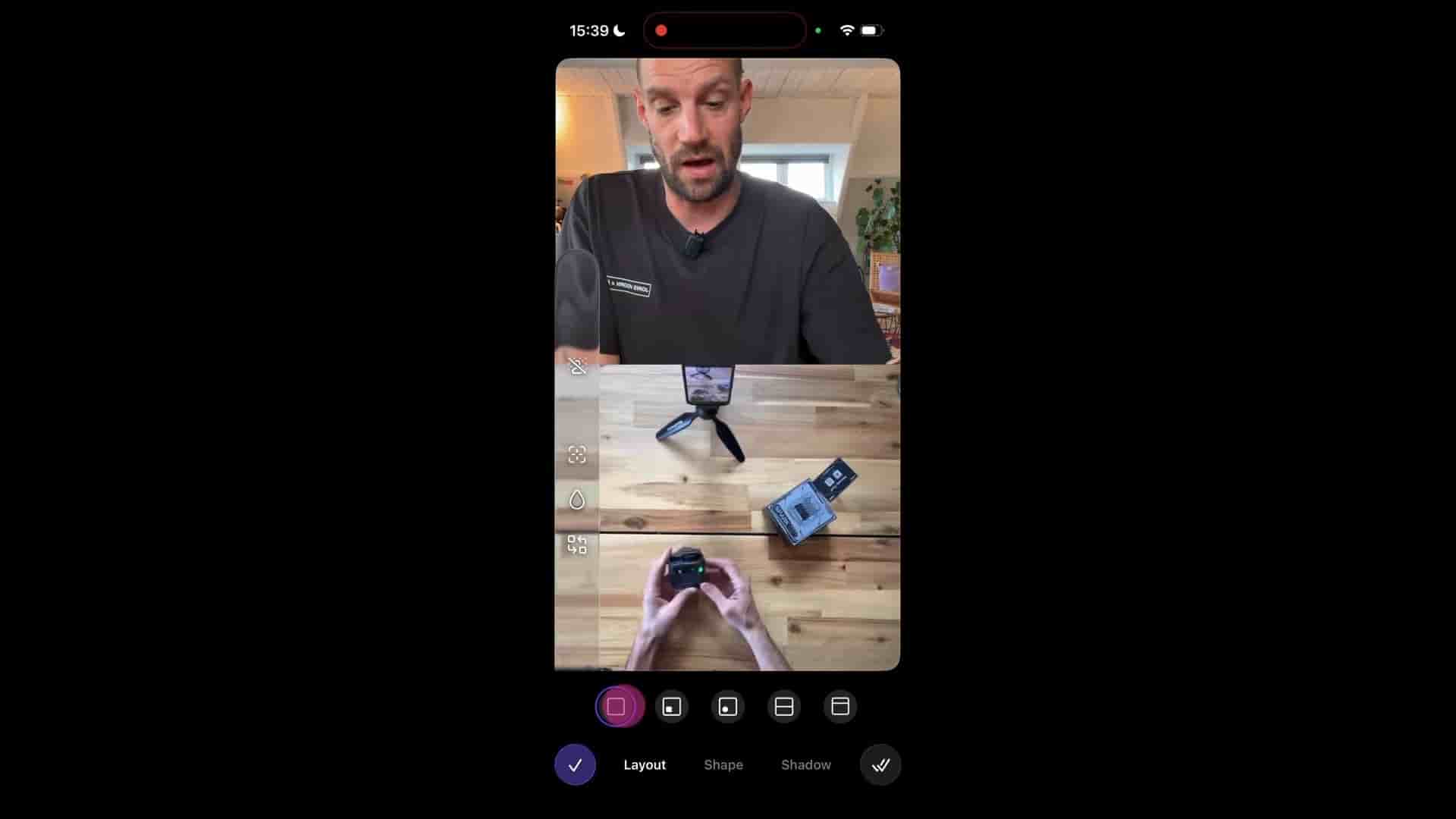
When your shot is set up you can start pressing record or you can change your layout.
You have several viewing options. You can focus only on the front camera, check out what your top-down shot looks like, use a split screen, or go with picture-in-picture. I find the split screen and picture-in-picture options particularly cool for unboxing content. You can experiment with different layouts before you even hit record.
Once you've settled on your angles, just press record and start your unboxing. And honestly, unboxing itself can be its own challenge. I find it fascinating (and frustrating) how these packages never want to open easily. You're wrestling with warranty cards, dealing with that impossible-to-remove protective film, but that's all part of the authentic unboxing experience.
Here's where things get really interesting. After recording for a bit, when you stop, you can go back through your footage. You can make cuts by selecting clips and deleting them if needed. But more importantly, you can switch sources after the fact.
Want to change from your current layout to a split screen? Done. Prefer picture-in-picture for a certain section? Easy. Want to flip everything around? No problem. The transitions between these layout changes look really smooth and professional too.
Let's say you recorded a segment but now want only the top-down shot for that portion. Just select that clip, switch to single camera view, and adjust the angle. You can have picture-in-picture in one section, a full shot in another, and a split screen in the next. All of this editing happens after your recording is complete, which gives you so much flexibility.
This approach proves you don't need professional gear to create quality content. Your decommissioned iPhone makes an excellent secondary camera for top-down shots. The footage looks great, the editing is simple and intuitive, and you can adjust everything after recording.
The beauty of this setup is its accessibility. Most people upgrading their phones have an older model sitting around. Instead of letting it collect dust, put it to work. Combined with a decent tripod setup and the right mounting hardware, you have a multi-camera production studio in your pocket.
So if you're thinking about creating unboxing videos or any content that benefits from multiple angles, don't let a lack of professional equipment stop you. Two iPhones, some smart positioning, and you're ready to create content that looks polished and professional. Happy creating, and catch you on the next one.