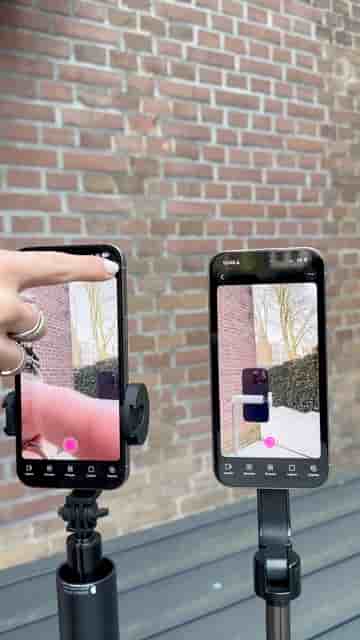
Filming a two-camera podcast with iPhones takes just a few taps in Detail. Link both devices, set your layout, add Rode Wireless Go 2 mics, and you're recording.
Filming a podcast with two iPhones is simpler than it looks, and the results hold up surprisingly well against more expensive setups. The whole workflow runs through Detail for iOS, and once both phones are linked, the rest is just positioning.
Start by opening a new project on each phone. Tap the three dots in the top right corner and select Connect. Detail automatically pairs the two devices, so there's no manual syncing or fiddling with settings.
Once they're linked, tap Layout, choose the Single Layout, and swap the sources on the left side. Repeat those same steps on the second device. Each phone now knows its role in the shot.
Open a new project on both devices, tap Connect, and Detail links them automatically.
With the devices connected, plug in your microphones. RØDE Wireless Go IIs work well here — one transmitter per person, receivers into each phone. After that, it's a matter of adjusting your tripods and dialing in the framing until the shot looks right.
The app I use for recording and editing is called Detail, and you can download it in the App Store.
The final result is a clean two-camera podcast video, each phone capturing one angle, synced and ready to edit inside the same app used to record it. Detail handles both the recording and the editing, which keeps the whole process on your phone from start to finish.