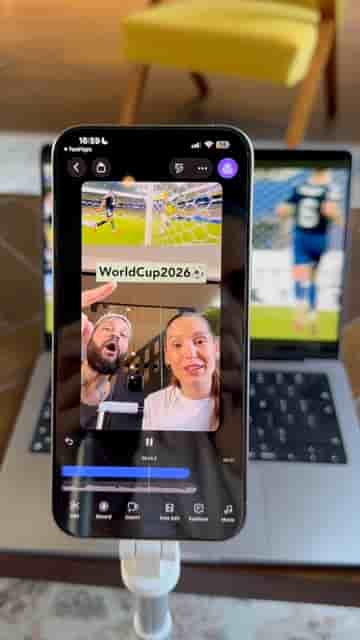
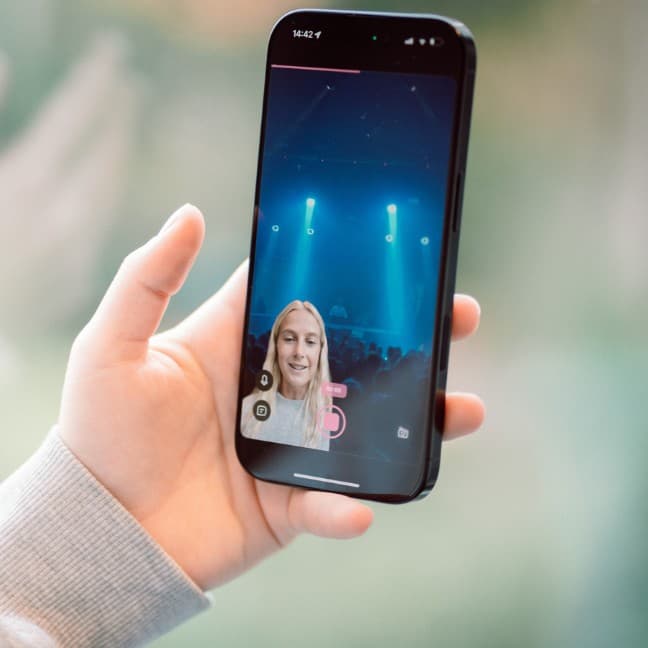
Filming a two-person reaction video takes a tripod, one phone, and the Detail app. A split one-third layout handles the framing automatically.
Reaction videos with two people on screen look complicated, but the whole setup comes down to three things: a tripod, your phone, and the screen you're reacting to.
Open a new project in Detail, tap Layout, and select the split one-third layout. That gives you the side-by-side framing where the content takes up most of the screen and your reaction sits alongside it. Swap the sources so everything lines up the way you want, frame the clip you're reacting to, and hit Record.
A tripod, your phone, and the screen you're reacting to — that's the entire setup.
That's genuinely all there is to it. No second device, no complicated multicam rig, no editing afterward to sync two separate recordings. Detail handles the composition in real time so you can focus on actually reacting instead of fiddling with gear.
"The super easy feature is available in the app Detail, which you can download from the App Store."
The split one-third layout does most of the visual work for you. The content you're reacting to stays prominent, your face stays visible, and the framing feels intentional rather than like an afterthought. For anyone making commentary, review, or watch-along content, it's a practical shortcut that cuts setup time down to about thirty seconds.