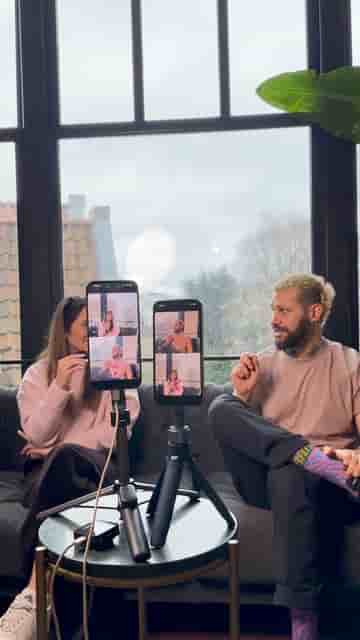
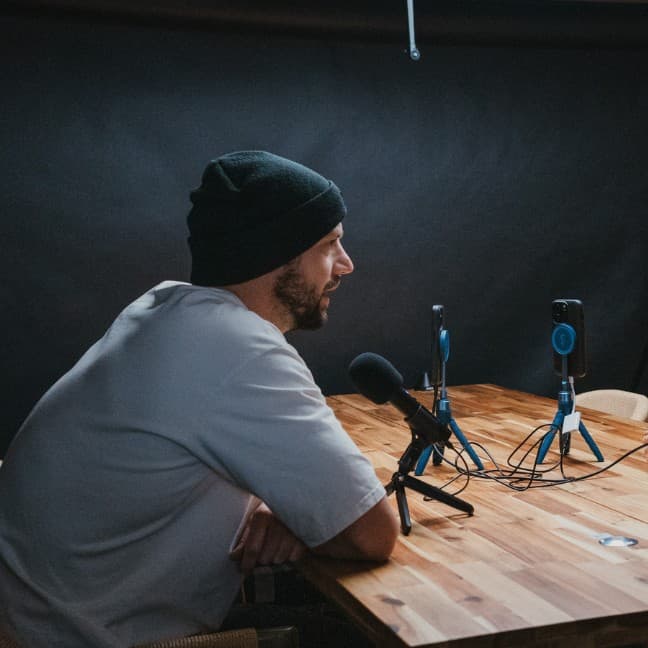
Two iPhones, two tripods, and external mics are all it takes to record a synced multi-camera podcast using Detail on the App Store.
Recording a podcast with two camera angles used to mean buying dedicated cameras, a switcher, and a pile of cables. With Detail, two iPhones, two tripods, and a pair of external mics are all you need to get a proper multi-camera result.
The gear list is short: two iPhones, two tripods to hold them steady, and external microphones for clean audio. No capture cards, no additional hardware.
Open a new project on both phones inside Detail. Tap the three dots in the top right corner, press Connect, and the two devices sync automatically. That's the entire setup process for multi-camera recording.
Tap Connect and the two devices sync automatically — no cables, no configuration.
Once the phones are linked and your mics are plugged in, hit record and film your podcast as you normally would. Detail handles the synchronization in the background, and when you're done you get a multi-cam result ready to edit.
"That's your final multi-cam result."