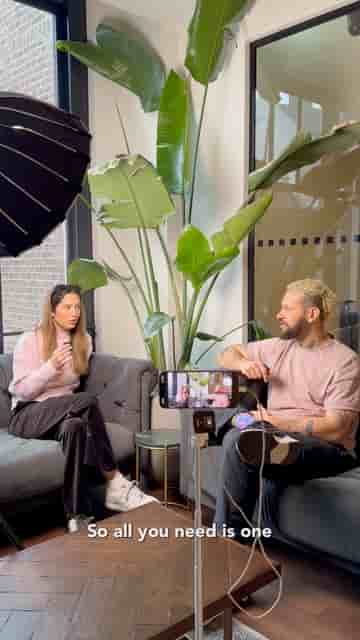
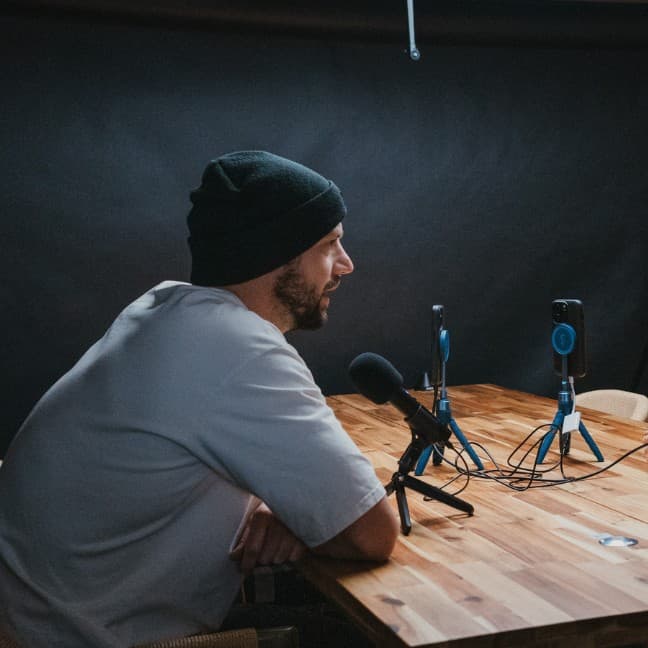
One iPhone, a tripod, and the Rode Wireless Go 2 are all it takes to record, edit, and clip a podcast using Detail's auto-edit podcast mode.
The gear list for a solid podcast setup is shorter than most people think: one iPhone, a tripod, and wireless microphones. That's it. I use the Rode Wireless Go 2, which clips onto each speaker and feeds clean audio directly into the phone. Once everything is clipped and positioned, you just hit record in the camera app and let the conversation run.
The editing side is where things get interesting. When you're done recording, open Detail and tap auto-edit, then select podcast mode. From there, you assign each speaker, and choose your layout — either switching between speakers as they talk, or a side-by-side view. Detail handles the rest.
One tap on auto-edit produces a fully edited podcast video, with short clips already cut by topic.
What comes out is a fully edited podcast video, plus short clips automatically separated by topic. Those clips are ready for social media without any extra work on your end.
"Short clips automatically separated by topic, perfect for social media."
The whole workflow lives on your phone. No desktop software, no external drive, no complicated multicam setup. If you have a conversation worth recording, this is enough to publish it.