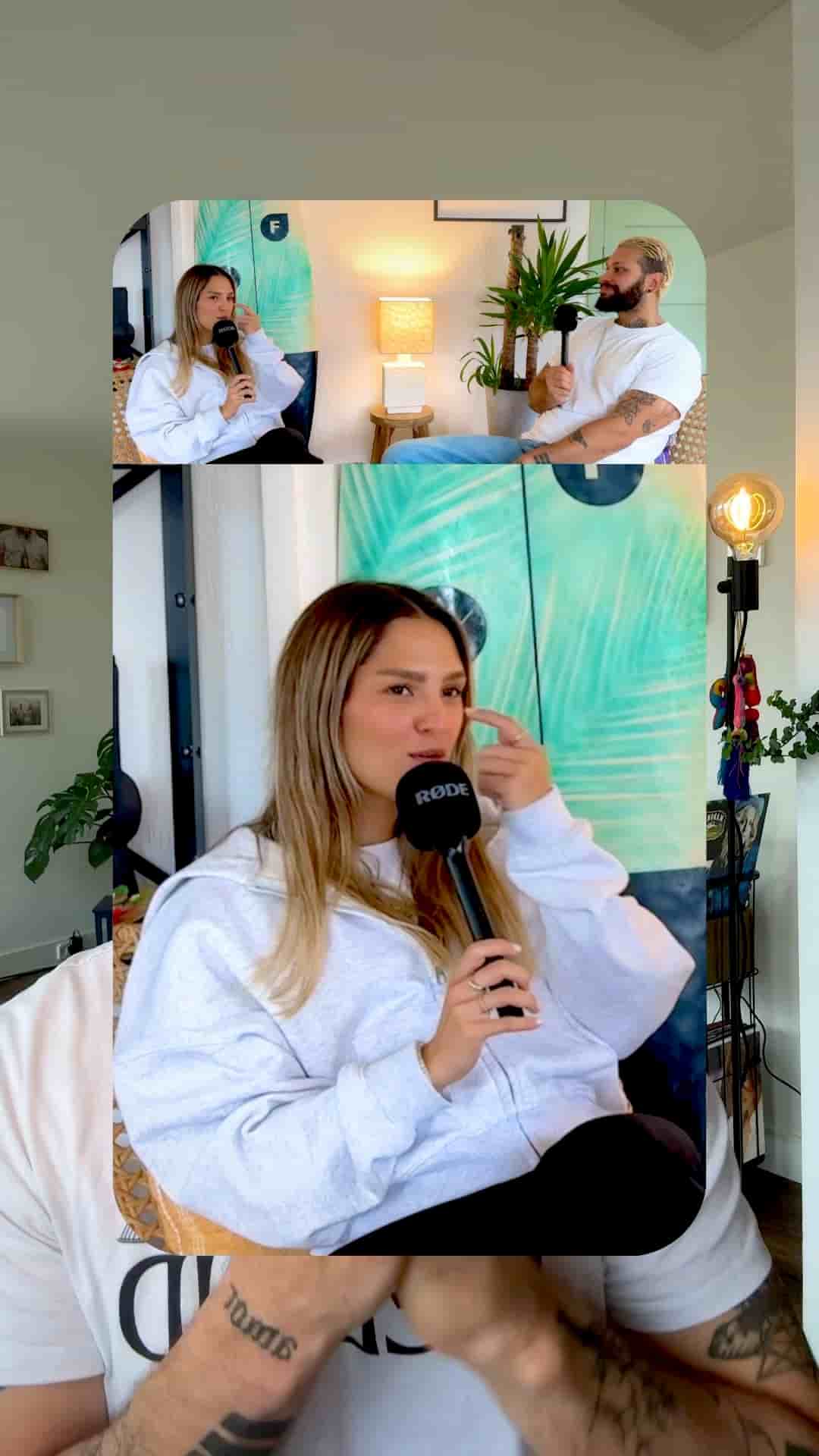
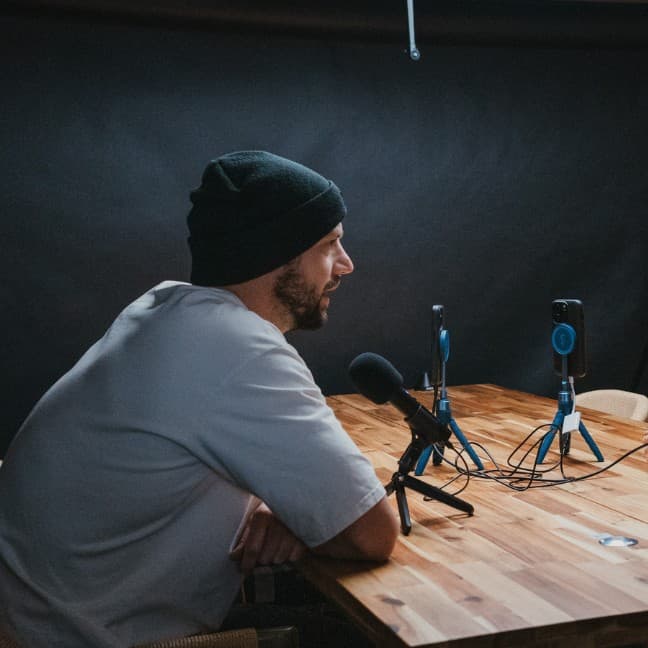
One iPhone and two microphones is all it takes to produce a split-screen podcast with auto-switching speaker close-ups using the Detail app.
One phone. Two microphones plugged in once. Hit record. That's the entire production setup behind the multi-camera podcast layout you've probably seen and assumed required a full studio rig.
The Detail app handles the rest. After recording, the project is already queued for editing. Tap auto edit, choose podcast, hit continue, and Detail asks you to identify the speaker by listening for a few seconds. Once you've tagged who's talking, the app analyzes the full episode and generates multiple edited versions — a minimal edit if you just want the episode cleaned up, or more polished cuts you can take further.
One setup, one tap, and Detail generates multiple edited podcast versions ready to refine.
The visual result — wide shot on top, close-up of whoever's speaking on the bottom, automatically switching between speakers — comes together in a handful of taps.
Start by going to Aspect and switching the video to vertical. Then tap Layout and select the one-third layout, then apply it to all clips. That sets the structure for the whole episode at once.
Next, tap Framing and adjust the top video to dial in the wide shot exactly how you want it. Tap Apply to same layout and source to lock that framing across all matching clips.
A clean professional podcast layout, recorded and edited using just your phone.
Then go back to Framing, select the bottom video, and frame the speaker. Tap Apply to same speaker — and you only have to do that once per person. Detail takes it from there, automatically cutting to the right close-up whenever that speaker is talking.
The finished product is a vertical podcast with a persistent wide shot across the top and auto-switching speaker close-ups on the bottom. It looks like a multi-camera production. It took one iPhone and a couple of microphones.
For anyone recording conversations, interviews, or podcast episodes without a camera operator or a studio, this workflow removes the gap between "I recorded something" and "this looks intentional." The framing work you do once per speaker scales across the entire episode automatically.
"The setup was super simple, the phone in front of us, microphones plugged in like this once, and then we hit record."