Details new voice tracking feature automatically syncs teleprompter scrolling with your speaking pace, eliminating the struggle of reading too fast or slow.
Hey, it's Frank from Detail, and I've got something exciting to share. We've just added voice tracking to our teleprompter, and honestly, it's going to change how you create videos. If you've never used a teleprompter before, I can strongly recommend it. But now with voice tracking, the pace of your script basically dictates how fast the teleprompter goes. Your life as a video creator is about to get easier than ever.
Let me walk you through how this works and why I think it's such a game changer.
First things first, you can open the teleprompter by tapping the icon, or you can open the menu and tap the teleprompter option there. Once you're in, you can work with your script right away.
Here's something cool: if you don't have a script ready or want to make changes, we've built in some really helpful features. You can tap "improve it" and maybe make your script a bit more tight and tidy (not even sure that's the right word, but you'll see what happens). The AI will tighten up your script, which I think is awesome because my scripts are always too long. Once it's amended, you can even format it so it reads nicely on the teleprompter.
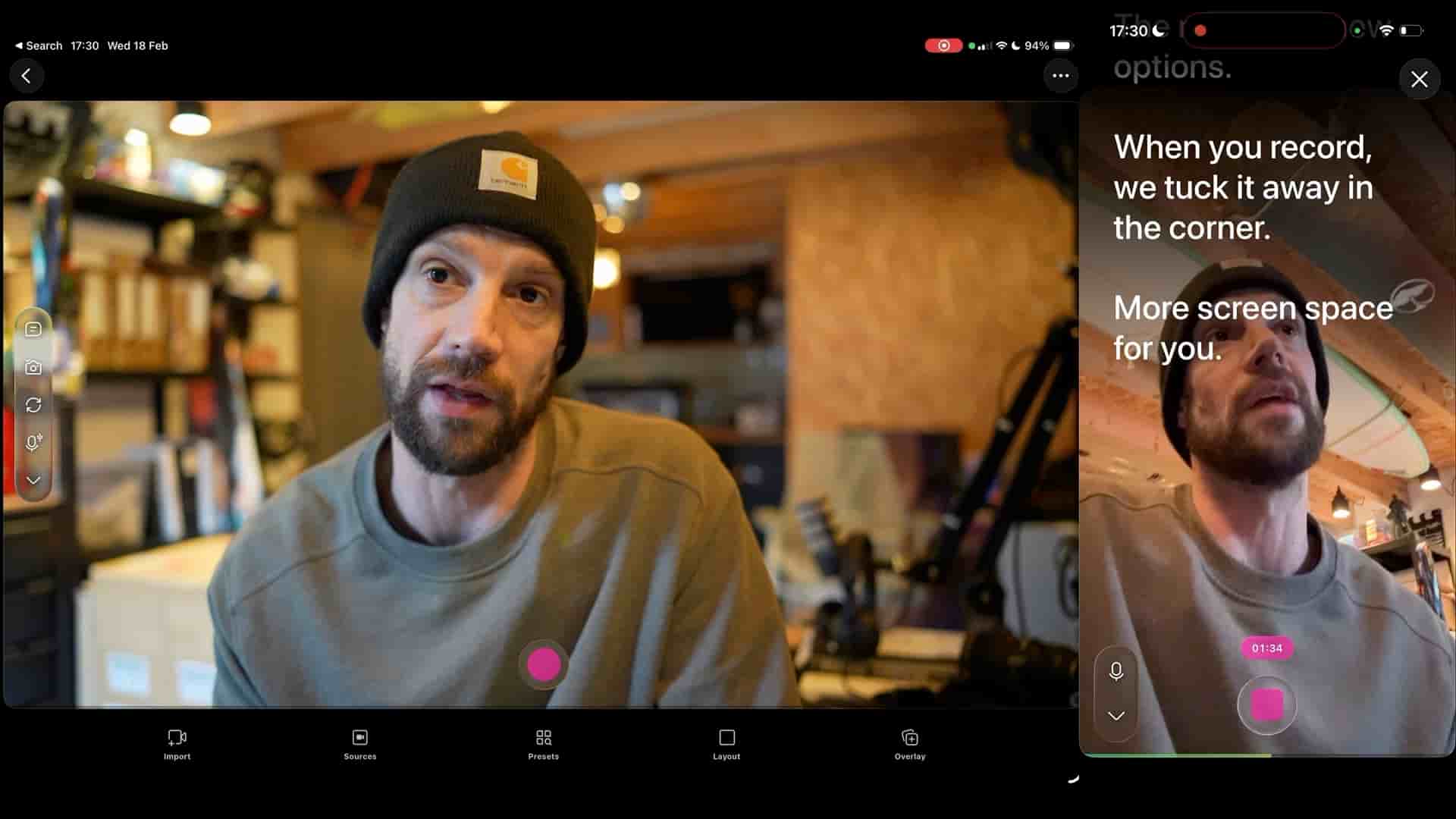
But now comes the magic. Tap on the "More" button, then click on "Settings." Normally, if you press "Record," the script will start sliding at a pace you can set manually. You'd go to the speed settings and adjust it to go real fast or a little bit more natural. But in the new menu, you'll see an option for voice tracking. Let's put it to the test, because I personally think this is awesome.
When I pause, the script pauses. When I continue, the script continues.
When you press record with voice tracking activated, DTool automatically scrolls with your voice. You hit record, start reading, and the teleprompter just follows you. No more fighting with a script that's racing ahead or lagging behind. The system listens to your voice and adjusts in real time.
Here's what really impressed me during testing: when I pause, the script pauses. When I continue, the script continues. It's that simple. And if you need to scroll back because you want to redo something, you can do that too. The script knows where it is and will try to find you and pick up where you left off.
We've also made a few other quick updates. The menu has new options, and when you record, we tuck it away in the corner. That's correct, it's now in the bottom down here, which is really cool and keeps your screen cleaner.
Before this feature, maybe the text went too fast or too slow. You'd spend time tweaking the speed settings, trying to find that perfect pace, and even then it might not match your natural rhythm. That's all history now because we have voice tracking.
The beauty of this feature is that it adapts to you, not the other way around. Every take is different. Sometimes you speak faster, sometimes slower. Maybe you pause for emphasis or stumble over a word. Voice tracking handles all of that naturally, making your teleprompter experience feel less robotic and more human.
Go check it out and let me know what you think. Questions, comment down below. If you hate it, like it, I don't mind. Please let me know and we'll make it better. Thank you so much for watching. Happy creating, and catch you on the next one.