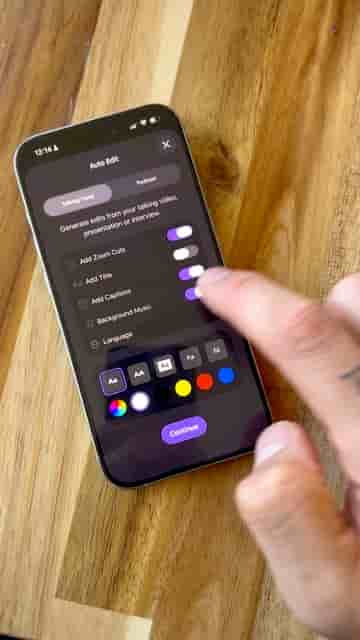
Detail's auto edit feature turns a single long video into styled short clips automatically, no manual editing required.
If you're still sitting down to manually cut your long videos into short clips, you're spending time you don't need to spend. Detail handles that whole process automatically, and the output is ready to post.
The workflow starts in the Detail app. You can record directly inside it — a podcast, an interview, a talking head — or just import a long video you already have. From there, tap auto edit. The app asks what kind of video it is, then lets you configure your style: titles, captions, background music, font, color. Set it once and every clip that comes out already matches your look.
The app will edit the whole video for you.
Tap continue, give it a few seconds, and Detail does the rest. What comes back is two things: a cleaned-up long version with filler like pauses removed, and a set of short clips pulled from the content based on what you actually talked about. Each one ships with the style you chose already applied.
Set your style once and every clip that comes out already matches your look.
At that point, the only steps left are export and post. You're not editing — you're just reviewing and publishing.
If you want fast content without spending hours editing, this is honestly one of the easiest ways to do it.
The thing worth noting is that the story is still yours. Detail handles the mechanical work — trimming, clipping, formatting — but the content came from you. You're getting an editor's help, not replacing what makes the video worth watching in the first place.