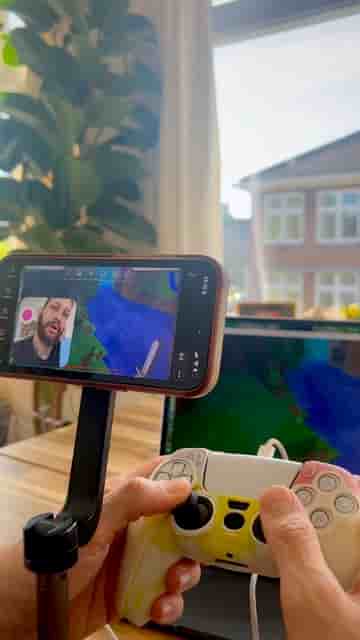
No capture card needed. Use Detail on your iPhone to stream Mac gameplay to YouTube and Twitch at the same time.
A capture card is the first thing most people think they need to stream Mac gameplay. They don't. Your iPhone and the Detail app are all it takes, and you can be live on YouTube and Twitch simultaneously in under two minutes.
Open your game on your Mac first, then grab your iPhone and open Detail. Start a new project, tap Layout, and pick whichever framing option fits your setup. Choosing a layout automatically activates dual camera mode. From there, zoom in with the back camera until your Mac screen fills the entire frame.
Choosing a layout automatically turns on dual camera — no extra steps.
With your shot dialed in, tap Live Stream. Detail lets you broadcast to up to two platforms at the same time, so you can hit YouTube and Twitch simultaneously. Paste your stream keys for each platform and tap Go Live.
You can actually start streaming your gameplay right now with just your phone.
That's the whole setup. No additional hardware, no complicated routing software. If you have a Mac and an iPhone already in front of you, you have everything you need to go live.