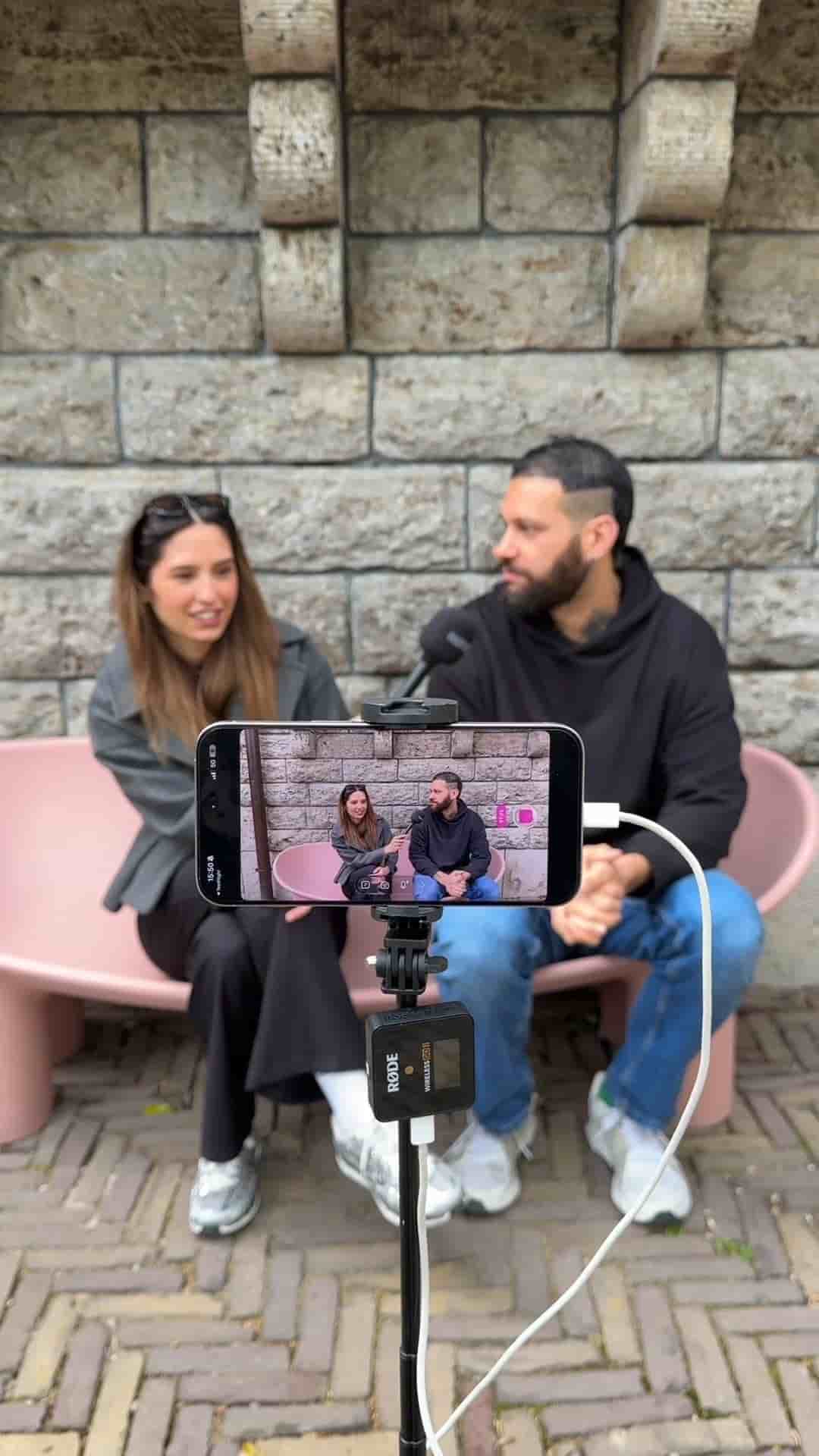
A phone, a tripod, and wireless mics are all you need to shoot and edit a professional interview video. The Detail app handles the rest in seconds.
Shooting a professional interview video no longer requires a camera crew or a desktop editing suite. A phone, a tripod, and a pair of wireless microphones are genuinely all you need to get from raw footage to a finished, edited video.
The equipment list is short on purpose. Mount your phone on a tripod, clip on wireless microphones, and you are ready to film. I use the Røde Wireless Go II with the Interview Go stands, which connects directly to the phone and gives each speaker a clean, separate audio track. Once everything is connected, press record and run the interview as you normally would.
A phone, a tripod, and wireless mics. That's the full kit.
When the interview is done, the editing happens inside the Detail app. Tap auto-edit, select podcast mode, assign each speaker, and wait a few seconds. Detail produces a fully edited interview video automatically, and it also pulls out short clips organized by the different topics covered in the conversation.
You'll get a fully edited interview video along with short clips separated in different topics you talked about.
The output is ready to publish. No timeline scrubbing, no manual cuts, no desktop required.