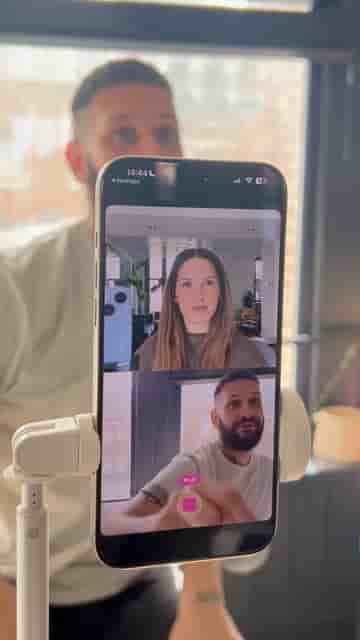
Detail's split layout lets you record front and back camera simultaneously in one take, no extra gear needed.
Shooting multi-camera video used to mean hauling extra gear, syncing footage in post, and spending real time on an edit that should have taken minutes. With Detail, you can skip all of that and capture two angles in a single take using nothing but your phone.
The setup takes about ten seconds. Open a new project in Detail, tap Layout, and select the split one-and-a-half layout. Hit record. That's genuinely it. The app fires both your front and back cameras simultaneously, so you walk away with two angles from one continuous take, no second device required.
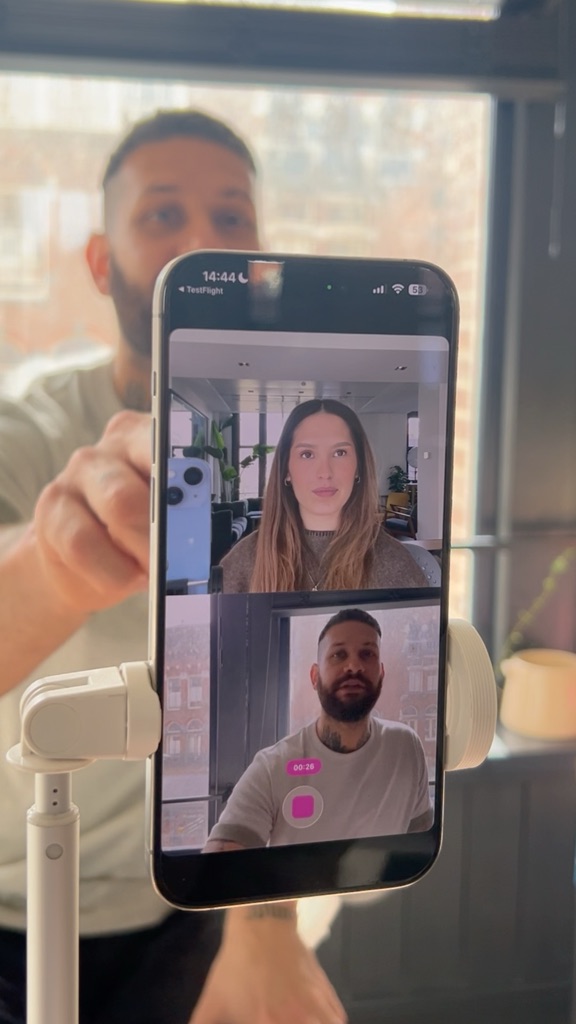
Record a multi-cam video using your front and back camera at the same time.
The practical upside is hard to overstate. No clapping to sync audio, no matching color between two different sensors, no cutting between files from separate recordings. You film once, you have everything. For anyone making talking-head videos, tutorials, or any content where reaction and action both matter, this removes the single biggest friction point between the idea and the finished video.