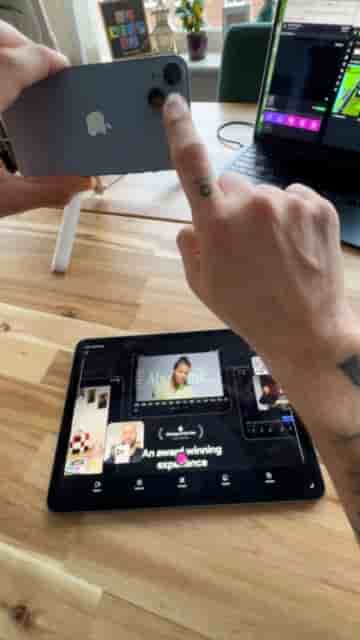
Using an iPhone's back camera and an iPad running Detail, you can live stream slide presentations to two platforms at once, fully wirelessly.
Teaching an online course live doesn't require a studio full of gear. With an iPhone, an iPad, and the Detail app, you can broadcast your slide presentations to two platforms simultaneously — fully wirelessly, in a setup that takes minutes to configure.
The core idea is simple: the iPhone acts as your camera (using the back lens for better quality), while the iPad becomes your command center for controlling both the stream and the slides. You never have to touch the phone once it's mounted.
Download and open Detail on both your iPhone and iPad. Start a new project, then tap "Connect" on both devices. Once they're linked, switch the iPhone to the back camera for the best video quality.
On the iPad, tap "Source," go to "Files," and select your PDF presentation. Hit the checkmark and your slides are loaded and ready to use.
The iPhone handles the camera. The iPad handles everything else.
From there, choose your layout. Detail gives you split screen, 70/30, or picture-in-picture depending on how much screen real estate you want to give your slides versus your face.
Mount your phone on a tripod and position it in front of you. Connect a wireless microphone to your iPad so your audio comes through clean. When you're ready, tap the three dots on the iPad and select Live Stream.
It is fully wireless and honestly extremely easy.
Detail lets you stream to two platforms at the same time. Paste your stream keys for both (platforms like Kick and Twitch work great for this), then hit Go Live.
From that point on, you're live — teaching your class, advancing your slides, and monitoring the stream all from the iPad in your hands, while the iPhone takes care of the camera work on the tripod.
"You are live, teaching your class, showing your slides and monitoring everything straight from your iPad while the iPhone handles the camera."
The whole setup stays wireless, keeps your hands free, and puts broadcast-quality production within reach for anyone running an online course.