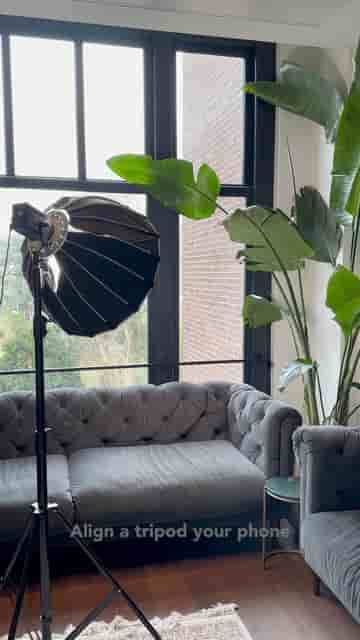
A light, a tripod, and your phone are all you need to film a podcast. Detail's auto edit handles the rest, from zoom cuts and captions to social media copy.
The gear list for filming a podcast is shorter than most people think: a light, a tripod, and your phone. Hit record, film your conversation, and the hardest part is already done.
The editing is where things get genuinely fast. Open Detail, press auto edit, choose the talking head option, and let the AI handle the rest. In seconds, you get a fully edited video plus a set of short clips, each one automatically sorted by topic.
In seconds, you're going to receive a fully edited video along with short clips, all separated in different topics you talked about.
Those clips come with zoom cuts, captions, and music already baked in. No manual trimming, no fiddling with caption timing.
When it's time to export, Detail can also generate AI text suggestions tailored to different social media platforms. That means better captions and posts, written faster, without staring at a blank text field trying to figure out what to say about your episode.
AI text suggestions for different platforms help you write better captions and posts faster.
If you want to go from raw footage to published podcast content without spending your afternoon in an edit suite, Detail is available in the App Store.