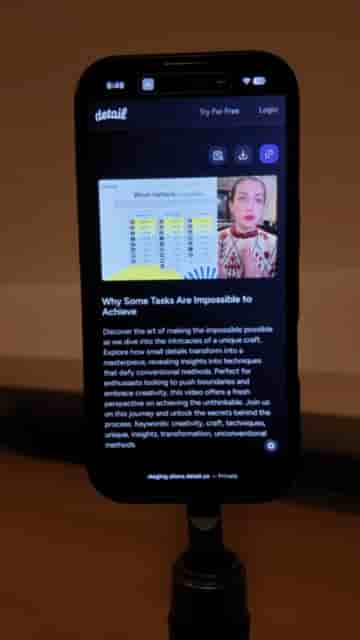
A tripod, a MagSafe ring light, and the Detail app are all it takes to record and edit polished classroom videos straight from an iPhone.
Recording classroom instruction videos doesn't require a dedicated camera, a lighting rig, or a production budget. An iPhone, a tripod, and a small MagSafe ring light are enough to put together a setup that looks clean and works every time.
The workflow lives inside the Detail app. Once everything is physically set up, I open Detail, go to Present Slide, and upload my presentation as a PDF from my files. From that point, switching between slides takes a single tap.
One click to switch slides, one button to record, one app to handle the whole thing.
After loading the PDF, I go to the layout selector and choose the arrangement I want — typically one that keeps me visible alongside the slides. When the layout looks right, I hit record and start presenting. Moving through slides while speaking is completely seamless; there's no toggling between apps or managing a separate remote.
As I speak, I go through the slides super easily.
When the recording is done, Detail organizes each slide as its own clip on the timeline. That structure makes cleanup fast: I can scan through, spot any takes I don't need, and delete them individually. No scrubbing through a single long recording trying to find the awkward pauses.
"I can see each slide as its own clip on the timeline so I can quickly delete the ones that I don't need."
Once the timeline looks good, I export the video and generate a shareable link. The whole thing, from setup to a link I can hand to students, stays inside two tools: my iPhone and Detail.
That's the complete kit for classroom instruction. No expensive gear required.