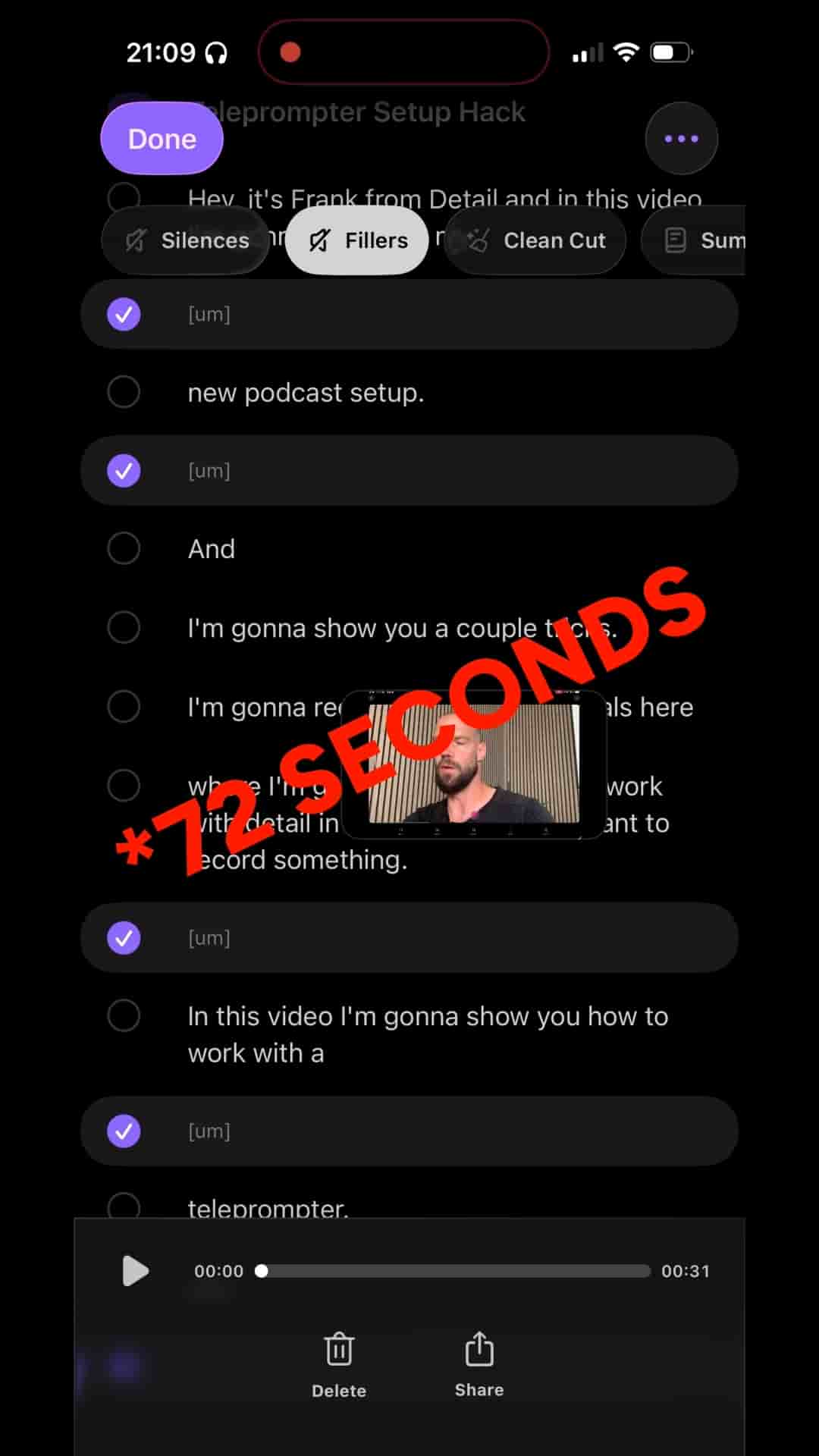
Frank from Detail shows how silences and filler words added up to over a minute of dead time in a single recording, deletable in two taps.
Filler words and dead silence are the two most common things that make a video feel unpolished — and most people don't realize how much of either they actually have until they see the numbers. In a typical unscripted recording, a full minute of "um," "uh," and awkward pauses can pile up without you noticing. Detail surfaces all of it, and lets you delete it in two taps.
The first thing worth knowing: a teleprompter helps more than you'd expect. When I stick to a script, I say far fewer filler words because there's something to follow. When I go off-script and start talking freely, the ums and uhs stack up fast. If you're recording without a script, you're almost certainly generating more cleanup work for yourself than you need to.
Once you've recorded your project in Detail, open the transcript panel using the button in the bottom right. If you haven't generated a transcript yet, there'll be a button in the center of the panel to kick that off — it takes a couple of minutes depending on the length of your video. With the transcript open, you can tap any word in the script and the timeline jumps to that moment, or scrub the timeline and watch the transcript follow along. It's a fast way to navigate a recording without scrubbing blind.
The two things to look for are listed right there in the panel: Silences and Fillers. Tap silences and Detail highlights every dead space where nothing was said. In my test recording, that came out to 41 seconds of unused space. Tap fillers and it flags every um and uh — another 31 seconds. Together, that's more than a minute of content that adds nothing.
Silences and fillers combined to over a minute of dead time in a single recording.
The fix is straightforward. Tap Fillers, then tap delete. Tap Silences, then tap delete. The timeline compresses, the gaps close, and the video tightens up automatically. Playing it back after the cuts, the difference is immediate — the pacing feels deliberate and the delivery sounds clean.
It takes you literally seconds to remove those.
That's the real value here. The work of combing through a transcript word by word, finding every pause, cutting every stutter — Detail does that analysis for you. You just confirm the deletions. What used to take careful manual scrubbing through a timeline now takes less time than it took to describe the process.
"If I add the silences, that is together more than 41 seconds." — Frank, Detail
If your videos feel slower than you'd like, or if viewers tend to drop off early, dead air and filler words are the first place to look. A minute saved from a five-minute video is 20% tighter — and viewers feel that compression as confidence, not speed.